
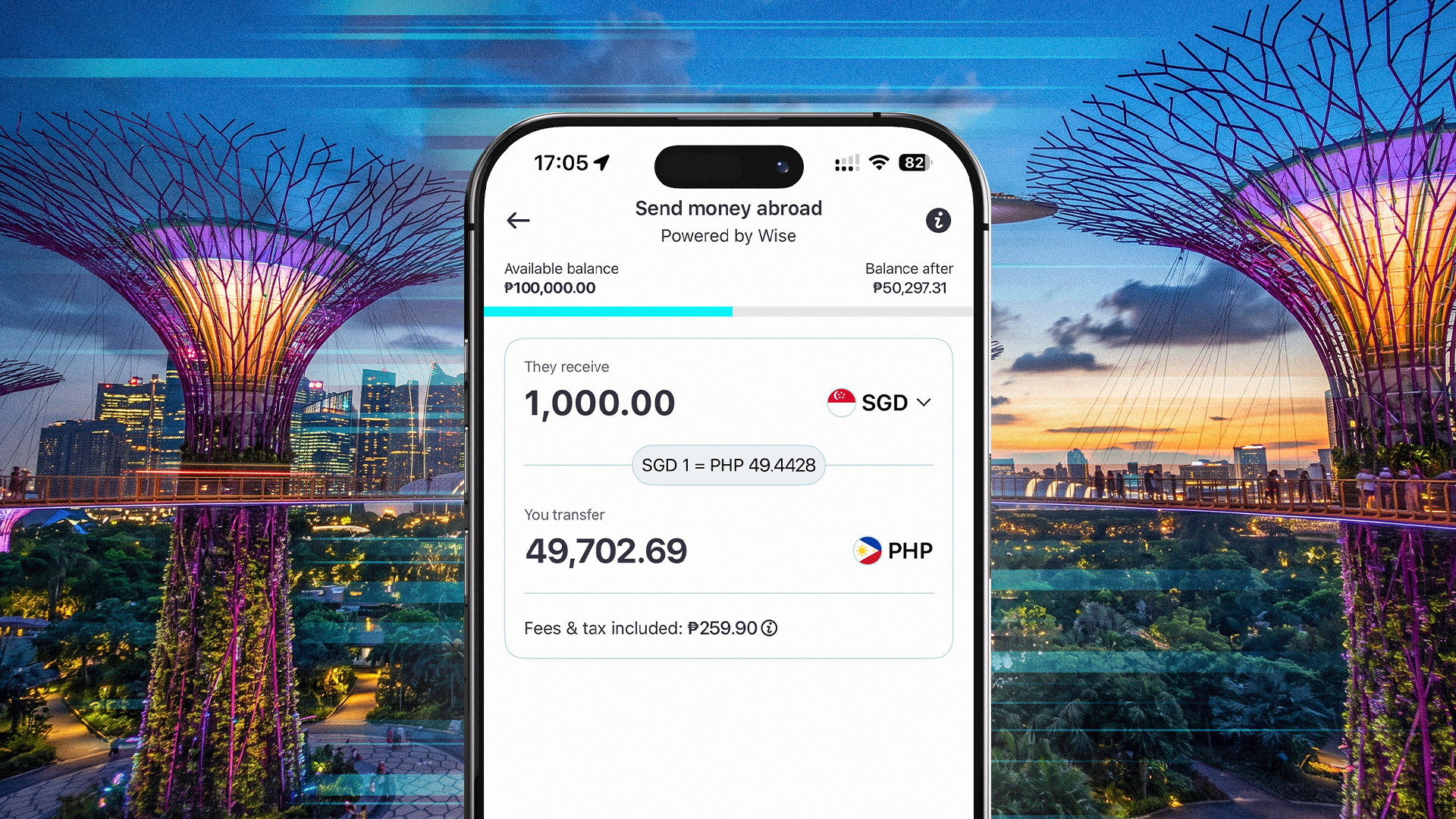
Sending money to Singapore shouldn’t feel like an uphill battle. You don't have to endure long queues or complicated transfer processes to ensure your money reaches its destination securely and on time.
GoTyme Bank lets you send money overseas directly from the app. With the Send Money Abroad feature, you can support your family, fund your business, or handle important overseas matters with just a few taps.
If you’re wondering how to send money to Singapore from the Philippines safely and conveniently, here’s a quick and straightforward guide.
Who Can You Send SGD To in Singapore?
Whether you’re sending SGD to an individual recipient or a business, Send Money Abroad helps with your specific needs.You may use it to send money for tuition, business payments, and any other financial commitments.
Before you transfer, confirm that the recipient is eligible and that the money you’ll be sending will be delivered to the right recipient at the expected time.
Requirements for Sending Money to Singapore
For Singapore transfers, you may send money using these two common receiving methods: regular bank transfers and PayNow. The details you need will depend on how your recipient will receive the money.
Singapore Bank Account Transfers
For transfers to a Singapore bank account, you will need the following details:
- Full name or business name
- Account number
- Bank name
Always check and ensure that the name matches the recipient’s bank records. This helps reduce the chance of processing issues like timing delays.
PayNow Transfers
For PayNow transfers, you need to prepare the following recipient details:
- Full name or business name
- Mobile number or Unique Entity Number (UEN)
A UEN is a 9- or 10-digit government-issued identification number for businesses and organization in Singapore. If you are sending money to a company or organization, confirm with the recipient that they can receive via UEN before you transfer.
PayNow can be convenient because it may use a mobile number or UEN instead of a traditional bank account number.
Keep in mind that a small typographical error in a name, account number, mobile number, or business identifier can result in delays or failed transfers. Follow the required fields shown in the GoTyme Bank app and always confirm the recipient’s exact details before confirming your transfer.
How Long Does It Take to Send Money to Singapore?
SGD transfers with GoTyme Bank can arrive quickly in under 10 minutes.
You can also send SGD through the GoTyme Bank app 24/7. There are no daily cut-offs, so there’s no hassle of planning around banking hours just to start a transfer.
Additionally, eligible transfers may also be processed through Singapore’s Fast and Secure Transfer (FAST) network. The receiving bank should support FAST, and the transaction should fall within the applicable limit.
One thing to note: actual arrival time may still vary. Some transfers may take longer because of receiving bank processing, payment network availability, regulatory checks, holidays, technical issues, or other circumstances.
Given this, if a transfer is for something with a due date, such as tuition, rent, or a business payment, plan your transfers early if you cannot leave leeway for possible delays. Give yourself enough time in case the receiving bank or payment network needs additional processing time.
Limits, Fees, and Cut-Offs for SGD Transfers
Another key piece of information you need before making a transfer is knowing the transfer limits, costs, and charges that may apply.
SGD Transfer Limits
The amount you can send depends on how the transfer is processed.
- Minimum transfer: SGD 1
- PayNow: Up to SGD 5,000
- FAST: Up to SGD 200,000
- Other supported SGD bank transfers: Up to SGD 1,000,000
The available route and limit may also depend on the receiving institution’s own limits.
Fees and Exchange Rates
Your transfer is funded in Philippine Peso from your GoTyme Bank Everyday Account. It is then converted to SGD for your recipient.
Before you confirm, the GoTyme Bank app shows:
- Exchange rate
- Applicable fees and taxes
- Total amount to be deducted from your account
- Expected amount your recipient will receive
- Estimated arrival time
Fees and exchange rates may change depending on the amount, currency, destination, transfer route, and rates available at the time of your transaction. In addition, the applicable transfer route and limit will also depend on the receiving institution's receiving limits.
Always review the latest breakdown in the GoTyme Bank app before sending.
No Daily Cut-Offs
You don’t have to worry if an urgent need comes up or when you have to send outside normal banking hours. You can start SGD transfers through the GoTyme Bank app, anytime.
How to Send Money to Singapore with GoTyme Bank
Sending SGD through the GoTyme Bank app is easy, simple, and straightforward. Follow these five easy steps:
- Open Send & Transfer
Open the GoTyme Bank app. From the Home screen, tap “Send & Transfer.” - Choose Send Money Abroad
Select “Send Money Abroad” from the available transfer options. - Select SGD and Enter the Amount
Choose Singapore as the destination and select SGD as the currency. Enter the amount you want to send. - Add the Recipient’s Details
Enter the required recipient details. This may include bank account details or PayNow details, depending on the receiving method. - Review and Confirm
Before confirming, review the exchange rate, fees, recipient amount, total deduction, and estimated arrival time.
Check that all recipient details are correct. Once the transfer is confirmed and processing has started, you may no longer be able to edit or cancel it.
After sending, you can monitor the transfer status and estimated arrival time through your transaction receipt in the GoTyme Bank app.
What to Check Before Sending SGD to Singapore
To avoid the headache of transfer issues, always check the details of your transfer before you confirm. Most of these issues are avoidable if you take some time to recheck.
- Confirm the Recipient Details
Make sure the recipient’s full name or business name is correct. For bank transfers, check the account number and bank name. For PayNow, check the mobile number or UEN. - Review the Fees, Exchange Rate, and Arrival Time
Review the transfer fee, exchange rate, recipient amount, total deduction, and estimated arrival time before confirming. This helps you understand the full cost and expected delivery timing. - Recheck Before You Confirm
To avoid failed or delayed SGD transfers, confirm the recipient’s name, account number, bank name, PayNow mobile number or UEN, transfer amount, fees, exchange rate, and estimated arrival time before sending.
Send SGD with GoTyme Bank
Sending money to Singapore is easier when you know what to prepare. It gets even better when you have the right tool. GoTyme Bank Send Money Abroad lets you simplify transfers and saves you the time and effort that confusing processes can take.
Moreover, you can send anytime, at your convenience. Open the GoTyme Bank app and use Send Money Abroad to send SGD to Singapore today.
Frequently Asked Questions
-
What details do I need to send money to Singapore with GoTyme Bank?
For bank transfers, you may need the recipient’s full name or business name, account number, and bank name. For PayNow, you may need the recipient’s full name and mobile number or UEN.
-
Can I send money to Singapore using PayNow from the Philippines?
Yes, you may send to supported PayNow recipients when available in the GoTyme Bank app. Required details may include the recipient’s full name and mobile number or UEN.
-
What is the difference between PayNow, FAST, and regular bank transfers?
PayNow allows eligible SGD transfers using details like a mobile number or UEN. FAST is Singapore’s fast bank transfer network. Regular bank transfers are supported SGD transfers that are not processed through PayNow or FAST.
-
How long does it take to send SGD to Singapore with GoTyme Bank?
SGD transfers can arrive quickly, but actual timing may vary depending on the receiving bank, payment network, regulatory checks, technical issues, holidays, or other circumstances. Check the estimated arrival time in the GoTyme Bank app before confirming.
-
What are the limits, fees, and exchange rates for SGD transfers?
Limits depend on the transfer route. PayNow, FAST, and other supported bank transfers may have different limits. Fees and exchange rates are shown in the GoTyme Bank app before you confirm your transfer.
