
Understand the GoTyme Bank international money transfer pricing, fees, and rates before using Send Money Abroad, so you can send with more clarity and confidence.
Sending money abroad can sometimes feel confusing because the amount you're sending isn't always what your recipient will receive. This is because international transfers can include exchange rates, fees, taxes, and sometimes bank or network charges.
Get to know more about GoTyme Bank's international money transfer fees so you can send money abroad with confidence.
Send Confidently with GoTyme Bank
GoTyme Bank removes any surprises and makes sending abroad easy for everyone to understand by always showing the full breakdown of fees. You can review what your recipient gets and how much will be deducted from your balance. This helps you review all the costs before the money is deducted from your account.
Before confirming any transfer, you'll see all the fees of your transaction. Here are the exact amounts you will see:
To make this easier to follow, let’s look at a sample transfer to Singapore.
Sample Transfer: Sending money to Singapore
Let's say you want to send SGD 350 to your loved one in Singapore.
For this example, let's assume the exchange rate is: SGD 1 = PHP 48
This means the peso value of your transfer is: SGD 350 × PHP 48 = PHP 16,800
So before fees and tax, the transfer is worth PHP 16,800.
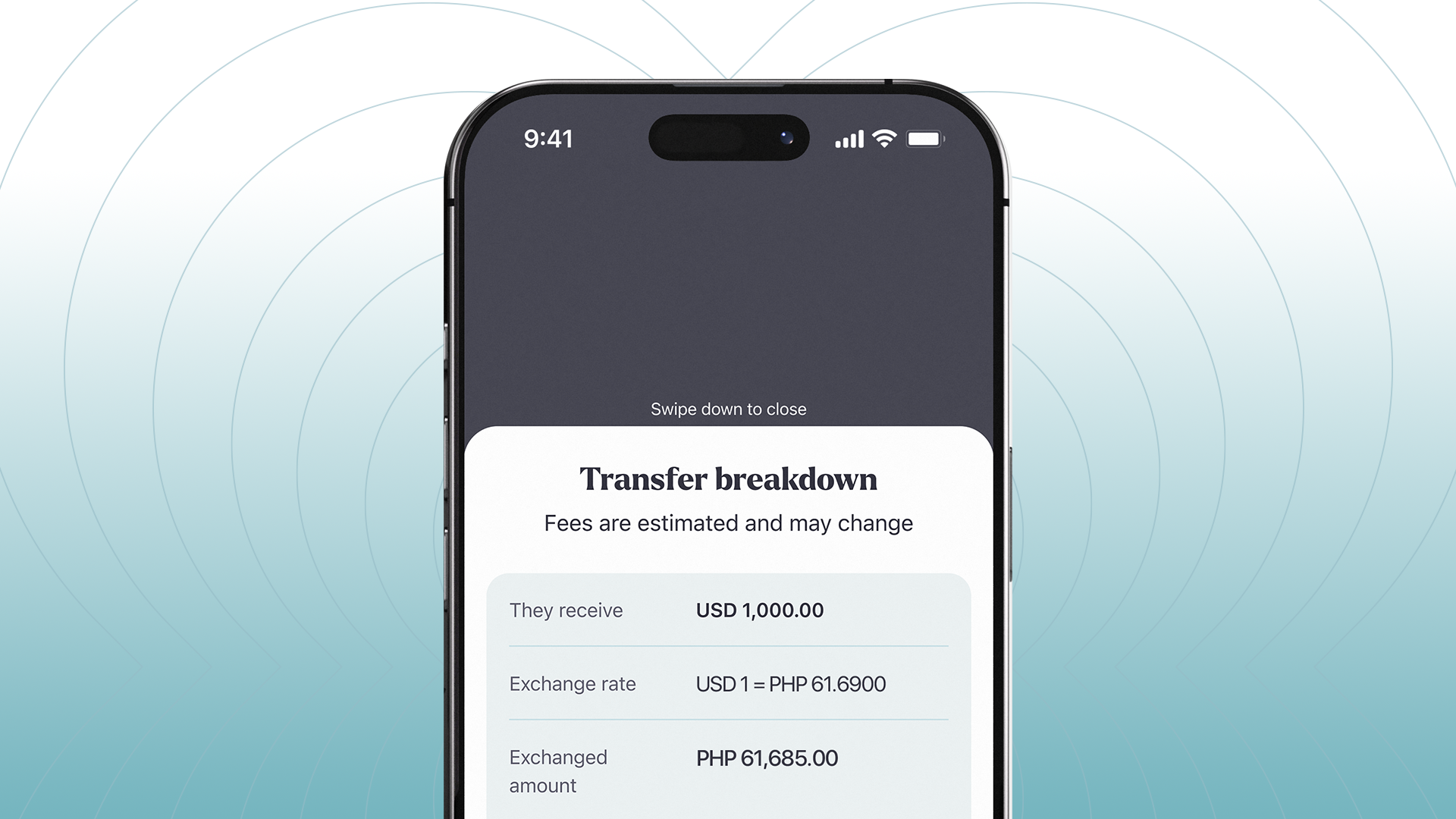
Your sample breakdown may look like this on the GoTyme Bank App:
In this example, your recipient receives SGD 350.
The PHP value of the transfer is PHP 16,800. After adding the sample fees and tax of PHP 100, the total amount deducted from your GoTyme Bank balance is PHP 16,900.
This is why the total amount deducted may be higher than the amount exchanged. The recipient receives the amount you entered, while your total deduction includes the peso value of that amount plus applicable fees and taxes.
Note: This sample is for illustration purposes only. Actual exchange rates, fees, taxes, and the final amount deducted may change depending on the transfer amount, currency, transfer route, and the rates available at the time of your transaction. For the most accurate pricing, please check the GoTyme Bank app.
Send money abroad with GoTyme Bank
With GoTyme Bank, sending money abroad never feels unclear or confusing. The app will always show you the amount your recipient will receive, the exchange rate, applicable fees, taxes, and the total amount to be deducted from your balance.
That means fewer surprises and more confidence before you send.
Browse the GoTyme Bank website to learn more ways to use Send Money Abroad or open the GoTyme Bank app and tap Send Money Abroad to get started. If you're a parent, partner, or a sibling who helps family members with rent, tuition, or other day to day expenses, GoTyme Bank also gives you a convenient way to support loved ones overseas.
Frequently Asked Questions
When does a SWIFT fee apply?
A SWIFT fee applies only to transfers sent through the SWIFT network. If applicable, the fee will be clearly shown in your transfer breakdown before you confirm the transaction. If no SWIFT fee is required, it will appear as PHP 0.
What exchange rate will I get?
You'll see the exchange rate from the GoTyme Bank app before confirming, and it is applied when you confirm the transfer. If there is a change in FX rate before you complete your transaction, you will be notified and the new rate and fees will be shown to you.
Who charges the documentary stamp tax?
Documentary stamp tax (DST) is a tax charged by the Philippine government for international fund transfers.
Why did my recipient receive less money than the "They receive" amount shown on screen?
The "They receive" amount shown on screen is the amount sent by GoTyme Bank. In some cases, the recipient's bank may charge fees, which can reduce the final amount received. If your recipient received less than expected, we recommend checking with their bank for details on any fees that may have been deducted.
