
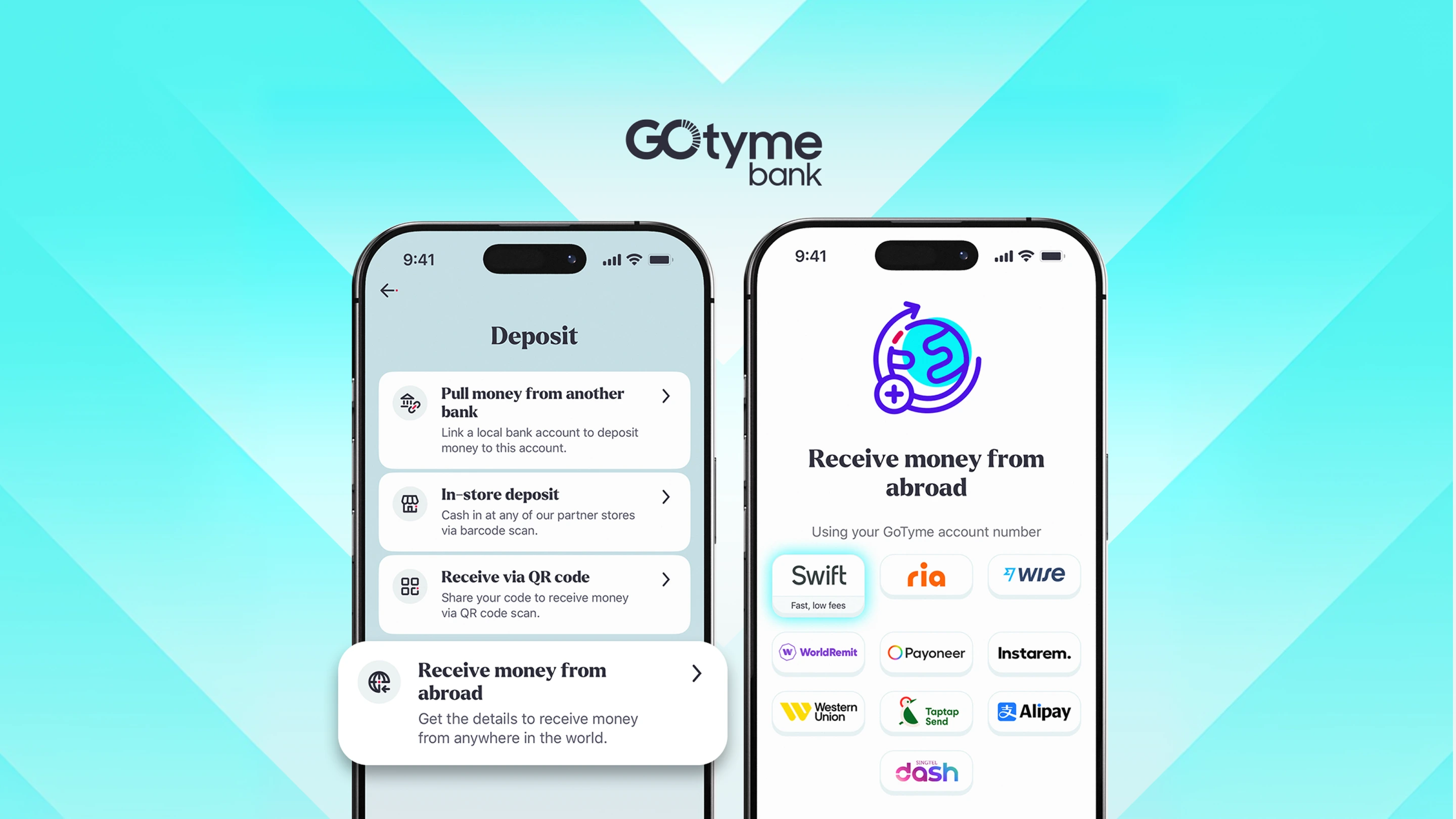
If you're a Filipino freelancer or remote worker getting paid by international clients, you've probably dealt with the hassle of figuring out how to receive freelance payment, what details to give, and why the amount that lands in your account sometimes doesn't match what your client sent.
With GoTyme Bank, receiving your international payout is straightforward. Here's everything you need to know.
What You Need Before Your Client Sends the Money
Your client will need your banking details to initiate a SWIFT transfer. Here's what to share with them:
- Full name: (as it appears on your account)
- Account number: (enter the correct account number)
- Receiving bank: GoTyme Bank
- SWIFT/BIC code: GOTYPHM2XXX
- Home address: (add your permanent address)
You can find all of this directly in the GoTyme Bank app — no need to look it up separately.
How to Find Your SWIFT Details in the App
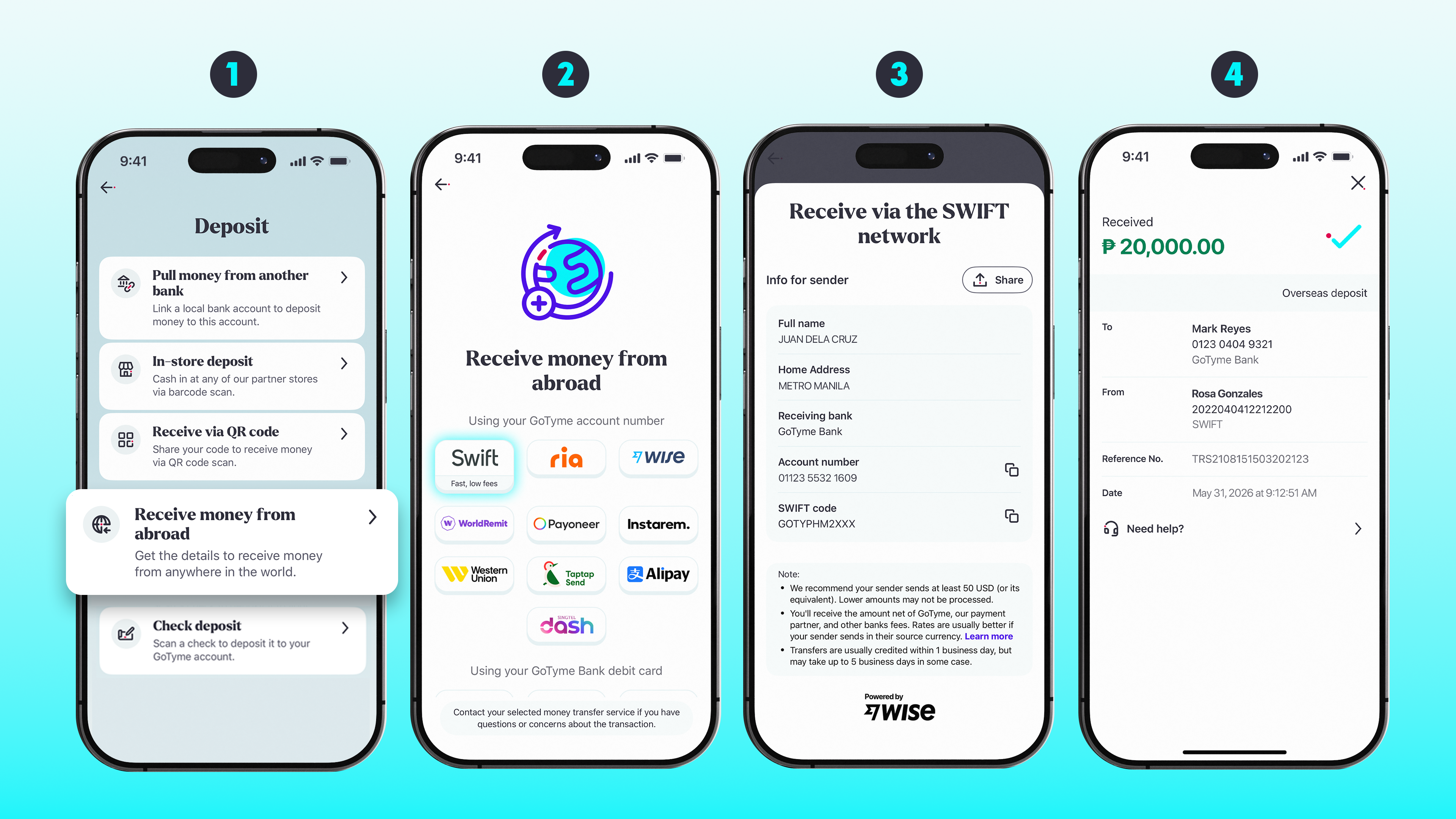
Step 1: Open the GoTyme Bank app and tap + Deposit, then select Receive money from abroad.
Step 2: On the next screen, tap the SWIFT logo. Your SWIFT details will appear — including your full name, home address, receiving bank, account number, and SWIFT code. Tap Share to send these directly to your client.
Step 3: Once your client sends the payment, your payout will be credited directly to your GoTyme Bank account in Philippine Pesos. You'll get a notification when it arrives.
What to Expect After Your Client Sends the Payment
Timeline
Transfers are usually credited within 1 business day. However, depending on the sending bank and the currency used, it may take up to 5 business days.
Fees
GoTyme Bank charges:
- A USD 5 flat fee, and
- A 0.6% markup on the foreign exchange rate
Your client's bank may also charge fees on their end — we recommend they check with their bank before sending.
Correspondent bank fees
Depending on how the transfer is routed, intermediary banks may charge additional fees before the funds reach your GoTyme Bank account. To help minimize this, ask your client to send in one of GoTyme Bank’s 22 preferred currencies, which are processed through our partner network and are less likely to incur extra charges:
USD, EUR, AED, AUD, CHF, BGN, CAD, CNY, CZK, DKK, GBP, HKD, HUF, ILS, JPY, NOK, NZD, PLN, RON, SEK, SGD, UGX
Exchange rate
GoTyme Bank uses the real-time mid-market rate with a 0.6% FX markup. Your payout will arrive in Philippine Pesos.
Receiving via Remittance Partners
If your client sends through GoTyme Bank's Remittance Partner Network (such as Wise, Ria, WorldRemit, Payoneer, Instarem, Western Union, Taptap Send, Alipay, or Singtel Dash) or via Visa Partners, GoTyme Bank does not charge any receiving fees. Fees, if any, will be borne by the sender.
A Quick Example
Let's say your US-based client sends you USD 350.
Here's a rough breakdown of what happens:
- GoTyme Bank deducts the USD 5 flat fee, leaving USD 345
- The remaining amount is converted to Philippine Pesos using the real-time mid-market rate plus a 0.6% FX markup
- The converted peso amount is credited to your account
Note: Correspondent bank fees may apply depending on how the transfer was routed. Asking your client to send in USD — one of our 22 preferred currencies — can help minimize this. Actual received amounts will vary based on the exchange rate at the time of the transaction and any applicable correspondent fees.
Your Financial Life, All in One Place
Freelancing means juggling multiple clients, projects, and payment channels. What it shouldn't mean is juggling multiple accounts just to manage your money.
With GoTyme Bank, the account you use to receive your international payout is the same account you use every day:
- Spend anywhere with your GoTyme Bank debit card
- Save and earn 3% interest per annum on your balance — one of the highest rates available from a digital bank in the Philippines
- Transfer money instantly to anyone via InstaPay
No more moving money between apps. No more keeping track of which wallet has what balance. Your payout lands, and it's already where you need it to be.
Frequently Asked Questions
How long does a SWIFT transfer take?
Transfers are usually credited within 1 business day. It may take up to 5 business days depending on the sending bank and currency.
Why did I receive less than what my client sent?
A few things can affect the final amount: the USD 5 flat fee, the 0.6% FX markup, and any correspondent bank fees charged by intermediary banks along the way. To minimize unexpected deductions, ask your client to send in one of GoTyme Bank's 22 preferred currencies.
Is there a fee to receive international transfers via SWIFT?
Yes. GoTyme Bank charges a USD 5 flat fee and a 0.6% FX markup. Your client's bank may also have its own sending fees.
What if my client sends through a remittance partner like Wise or Payoneer?
GoTyme Bank does not charge any receiving fees for transfers made through our Remittance Partner Network or Visa Partners. Any fees would be on the sender's side.
What currency will I receive my payout in?
All international transfers are converted and credited to your GoTyme Bank account in Philippine Pesos.
