
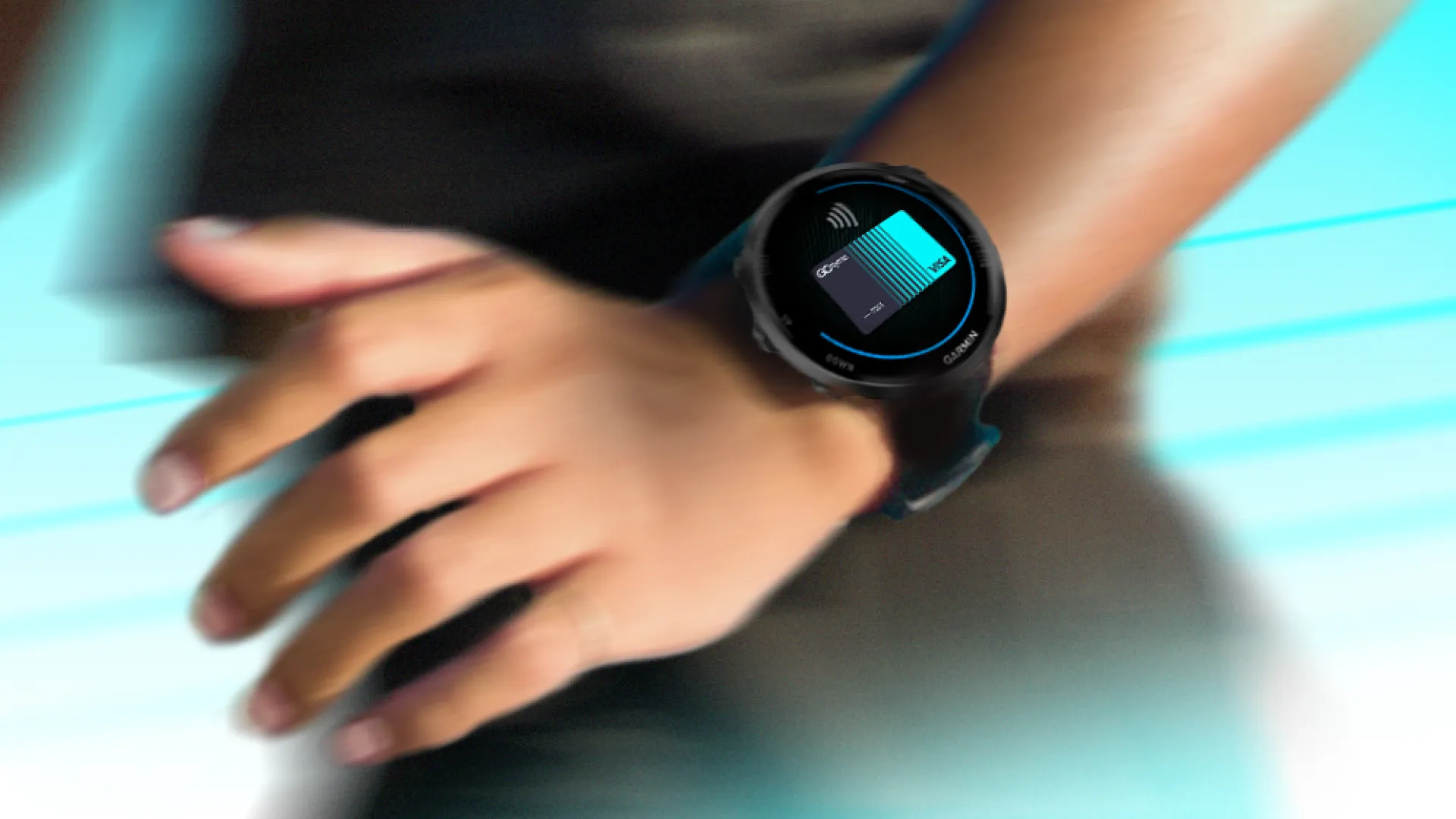
Tap, Pay, and Earn Go Rewards with Your Garmin Watch
Fast, secure, and contactless payments with Garmin Pay and your GoTyme Bank Visa Debit Card.
GoTyme Bank Visa Debit Card holders can now use Garmin Pay for fast, secure, and contactless payments straight from compatible Garmin smartwatches. Whether you’re heading out for a run, grabbing coffee after the gym, or paying on the go, Garmin Pay lets you tap and pay without needing your wallet or phone.
It’s a faster, more convenient way to pay, and designed for people constantly on the move. And yes, you can still earn Go Rewards points on eligible purchases.
So, make your runs smoother and more rewarding by learning more about Garmin Pay in the Philippines.
What Is Garmin Pay?
Garmin Pay is a contactless payment feature available on select Garmin watches that lets users pay using their smartwatch instead of a physical card or phone.
Using NFC payment technology, Garmin Pay securely sends encrypted payment information to compatible payment terminals. Simply hold your Garmin watch near a contactless terminal to complete a purchase.
Garmin Pay works similarly to tap-to-pay cards and mobile wallets, but the payment experience happens directly from your wrist. Your actual card number is never shared with merchants during transactions, helping add another layer of security.
Fortunately, Garmin Pay is available on select Garmin smartwatches and fitness wearables. Once your GoTyme Bank Visa Debit Card is linked, you can make secure payments anywhere Visa contactless payments are accepted.
Why More Filipinos Are Using Tap-to-Pay
- Contactless Payments Are Growing in the Philippines
Contactless payments are becoming more common across the Philippines, especially in malls, restaurants, grocery stores, convenience stores, and public transport-linked merchants.
As wearable payment technology grows globally, GoTyme Bank continues to introduce newer ways for customers to pay securely and conveniently in the Philippines.
- It Is Convenient for Everyday Purchases
For many Filipinos, speed and convenience matter during everyday purchases. Wearable payments make transactions easier by reducing the need to pull out a wallet or phone while on the move.
- It Fits Active Lifestyles
Smartwatch payments are becoming more relevant for active lifestyles. Whether you're running outdoors, commuting, traveling, or quickly buying essentials, paying through your Garmin watch can help simplify the experience.
How to Use Garmin Pay with GoTyme Bank
Setting up Garmin Pay with your GoTyme Visa Debit Card only takes a few steps.
Step 1: Open Garmin Connect
Download the Garmin Connect app from the App Store or Google Play Store on your smartphone.
Step 2: Select Your Garmin Device
Ensure that your Garmin smartwatch is already connected to the Garmin Connect app, then select your compatible Garmin device from the list.
Step 3: Access Garmin Pay
Navigate to the Garmin Pay or Wallet section after selecting your device.
Step 4: Add Your GoTyme Bank Visa Debit Card
Tap the “+” sign to add your card and enter your card details. Follow the prompts carefully and complete the verification process.
Step 5: Start Tapping to Pay
Once setup is complete, you can instantly start using Garmin Tap to Pay features using your smartwatch.
Tip: Make sure your GoTyme Bank Visa Debit Card is unlocked in the GoTyme Bank app to ensure a smooth payment experience.
Where to Use Garmin Pay?
- Restaurants and Cafés
You can use Garmin Pay in restaurants and cafés that accept Visa contactless payments. This lets you pay for meals, coffee, or snacks quickly with your tap-to-pay watch—there’s no need to take out your wallet or phone.
- Grocery Stores
Grocery stores that support contactless payments also accept Garmin Pay. It helps make checkout faster and more convenient, especially when you’re doing quick or full grocery runs.
- Convenience Stores
Convenience stores are ideal for Garmin Pay use, especially for everyday essentials. Whether you’re buying drinks, snacks, or small items, you can pay instantly without opening your wallet. Garmin contactless payments also make transactions easier when you’re on the go.
- Retail Shops
Many retail shops that accept Visa contactless payments also support Garmin Pay. This makes in-store shopping smoother and more seamless, especially for quick purchases. Plus, you can even earn Go Rewards when you use Garmin Pay while shopping.
- Transit and Travel Merchants
Garmin Pay is also useful for transit and travel-related payments, depending on merchant acceptance. It helps make commuting and travel more convenient by keeping both your hands free.
- International Merchants Worldwide
You can use Garmin Pay internationally at any merchant that accepts Visa contactless payments. This makes it a practical option when traveling abroad, offering secure and familiar tap-to-pay convenience wherever you go.
Is Garmin Pay Secure?
Garmin Pay is designed with multiple security features to help protect your transactions.
Here’s why:
- Instead of sharing your actual card number with merchants, Garmin Pay uses tokenized payment information during purchases. This helps reduce exposure of sensitive card details.
- Garmin Pay also requires a watch passcode for authentication. If the watch is removed from your wrist, the passcode must be entered again before additional payments can be made.
- Because Garmin Pay uses NFC-enabled secure contactless payment technology, transactions are processed similarly to secure chip-enabled card payments.
- GoTyme Bank is regulated by the Bangko Sentral ng Pilipinas (BSP), and Garmin Pay transactions are backed by Visa’s payment network security standards.
For additional security guidance and payment support details, users may refer to Garmin’s official support resources.
The Future of Payments Is on Your Wrist
Ready to move smarter? Add your GoTyme Bank Visa Debit Card to Garmin Pay and keep your payments moving with you: fast, seamless, and right from your Garmin smartwatch.
Discover smarter ways to pay with GoTyme Bank. Browse the latest promos, features, and updates on the GoTyme Bank website, and follow our official social media pages to stay informed about new offers and product enhancements. Download the app today.
Frequently Asked Questions
- Do I need additional apps to set up Garmin Pay?
You’ll need the Garmin Connect app on your mobile phone. Make sure your app and Garmin device software are updated before setting up Garmin Pay. - Which Garmin devices support Garmin Pay?
Garmin Pay is available on select Garmin smartwatches and fitness devices. Availability may vary depending on the model. Please visit the Garmin product website or Garmin Pay website for the latest list of supported devices. - Do I need the internet to pay with Garmin Pay?
No. Once your card is added, you can make payments even without an internet connection or your phone nearby. - Is Garmin Pay secure?
Yes. Garmin Pay uses tokenization and encryption to help protect your card information, so your actual card details are not stored or shared during transactions. It also requires a passcode, adding an extra layer of security when making payments. - Can someone use my GoTyme Bank card if they access my watch?
Garmin Pay with GoTyme Bank requires a passcode, especially when the watch is removed from your wrist. This helps prevent unauthorized use of your Garmin Pay wallet. - Are there fees for using Garmin Pay?
No. GoTyme Bank does not charge additional fees for using Garmin Pay. - What happens if I replace my GoTyme Bank card?
If your card is replaced, renewed, or reissued, you may need to remove the old card from Garmin Pay and add your new card.
