
Advisory: Update on Deposits via Linked Bank Accounts
How to Continue Funding your GoTyme Bank Account
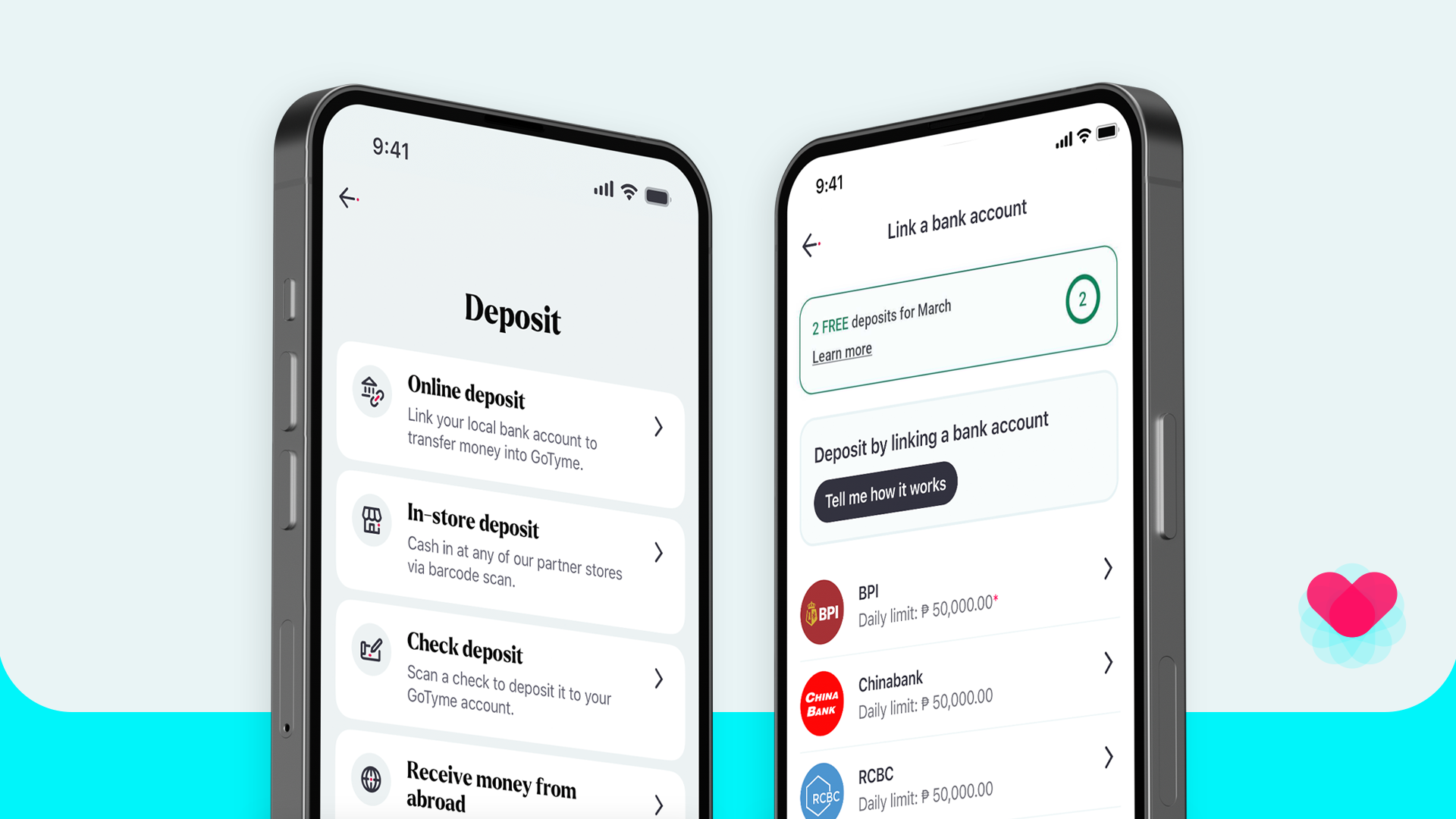
The Linked Accounts feature previously allowed users to transfer money from linked bank accounts directly within the GoTyme Bank app. Although this service has been discontinued, you can continue funding your account through other convenient options, such as InstaPay transfers, over-the-counter deposits, and GoTyme Bank deposit machines.
If you’re wondering how to transfer money to GoTyme Bank after this update, the alternative methods below will guide you step by step.
What Changed with the Linked Accounts?
Pursuant to BSP Circular No. 980 and PPMI Advisory No. 2024 1104 020 and in line with the National Retail Payment System (NRPS) Framework, the Linked Accounts will be discontinued, affecting all banks and services.
The scheduled dates for discontinued fund transfer to GoTyme Bank via linked bank accounts are as follows:
- Fund in via BPI - unavailable starting January 21, 2026.
- Fund in via Chinabank, RCBC, and UnionBank - unavailable starting January 31, 2026.
Advisory Summary:
- GoTyme Bank Linked accounts discontinued: Direct fund transfers from linked external banks via Linked Accounts are no longer available.
- Affected banks: Previously linked partner banks (e.g., BPI, Chinabank, RCBC, and UnionBank).
- Reason: Compliance with updated NRPS regulations.
Don’t worry—there are a lot of other convenient, secure, and fast ways to transfer money to your GoTyme bank account.
Ways to Fund Your GoTyme Bank Account
Continue depositing to your GoTyme Bank account through the following methods:
1. Bank Transfers to GoTyme Bank via InstaPay (From Any Local Bank)
Even after the Linked Accounts update, you can still enjoy fast and seamless fund transfers via Instapay.
Transfer money fromBPI, Chinabank, UnionBank, RCBC, or any local bank with InstaPay through each bank’s mobile app or online banking platform.
Here’s an easy way to do it:
From a local bank to GoTyme Bank
- Log in to your local bank’s mobile or online platform and find the Transfer to Another Bank feature.
- Select InstaPay.
- Enter your GoTyme Bank account details.
- Confirm the transfer.
Important note: InstaPay fund transfer fees are determined by the sending bank, and GoTyme Bank may have incoming transfer limits.
2. Deposit Over the Counter at Partner Stores
Another way to fund your account is to deposit over the counter at partner stores, including select Robinsons or 7-Eleven branches, through their cashier lanes.
Even better, you can look forward to exciting rewards and easier access as GoTyme Bank deposit options are now closer to you more than ever.
- You can enjoy up to 2 free over-the-counter cash deposits per month at Robinsons partner stores.
- You may also deposit at over 4,000+ 7-Eleven stores nationwide (applicable service fees may apply).
3. Use a GoTyme Bank Cash Deposit Machine (CDM)
Deposit cash directly into your bank account by using our GoTyme Bank Cash Deposit Machines, available in the following locations:
- Exxa Tower, Bridgetowne - G/F Commercial Building, Exxa Tower, C5 Road, Brgy Ugong Norte, E. Rodriguez Jr. Ave 1110 Quezon City
- Ayala Malls Circuit Makati - Upper Ground Floor, Ayala Malls Circuit, Circuit Makati, Hippodromo St, Makati City
- Ayala Malls Manila Bay - Ground Floor, Ayala Malls Manila Bay, Aseana City Macapagal Boulevard, cor Aseana Ave, Baclaran, Parañaque, Metro Manila
- 168 Shopping Mall - 5/F, 168 Shopping Mall, Soler Wing, Binondo, Manila
Here’s an easy way to use our GoTyme Bank deposit machines:
Step 1: Go to a GoTyme Bank deposit machine. You can find one inside select Robinsons malls, partner stores, or 7-Eleven stores.
Step 2: Enter your GoTyme account details. Input your GoTyme Bank account number on the screen.
Step 3: Insert your cash. Place the bills into the cash slot. The machine will automatically count them.
Step 4: Confirm the amount. Review the amount shown on the screen.
Step 5: Complete the transaction. Confirm the deposit and wait for the confirmation message.
Step 6: Get your receipt. Always keep your receipt for reference.
GoTyme Bank Transfer Limits and Fees
As previously stated, each bank may charge for transfer fees when sending money to another bank. The following transfer fee clarifications may help understand this better:
GoTyme Bank Transfer Limit Per Day
- Incoming transfer limits may apply.
- Daily caps depend on regulatory and account-level limits.
- Check your GoTyme Bank app for your specific daily limit.
InstaPay Fund Transfer Fee
- InstaPay fees are set by the sending bank. E.g. The BPI to GoTyme Bank transfer fee is determined by BPI.
- GoTyme Bank does not charge for receiving InstaPay transfers.
- Always verify fees directly from your sending bank’s app before confirming a transfer.
Frequently Asked Questions About the Linked Accounts Update
1. What is the Linked Accounts feature?
Linked Accounts was a feature that allowed direct deposits from linked banks within the GoTyme Bank app. In compliance with BSP Circular No. 980, PPMI Advisory No. 2024-1104-020, and the National Retail Payment System (NRPS) Framework, this feature has been discontinued, affecting all banks and related services.
2. What is the fastest way to fund GoTyme Bank now?
An InstaPay transfer is typically the fastest method, as funds are usually credited instantly.
3. Are InstaPay transfers affected by the Linked accounts update?
No. InstaPay transfers are separate from Linked Accounts and remain fully available.
4. Are there fees when using InstaPay?
Yes, but fees are determined by the sending bank. GoTyme Bank does not charge for incoming InstaPay transfers.
5. Will linked account deposits return?
There is currently no confirmed timeline for the return of Linked Accounts. Any updates will be officially announced in our channels, including this website article, once available. In the meantime, explore these other, equally convenient bank deposit options: InstaPay, GoTyme Bank cash deposit machines, and deposit through partner stores.
What’s Next for GoTyme Funding Options?
GoTyme Bank continues to review and enhance its funing experience. While the Linked Accounts feature has been discontinued, other GoTyme Bank funding methods remain available and reliable.
For the latest GoTyme Bank fund in update, always check official announcements. Get updated with latest bank changes and offerings by visiting our website and following us on our socials.
