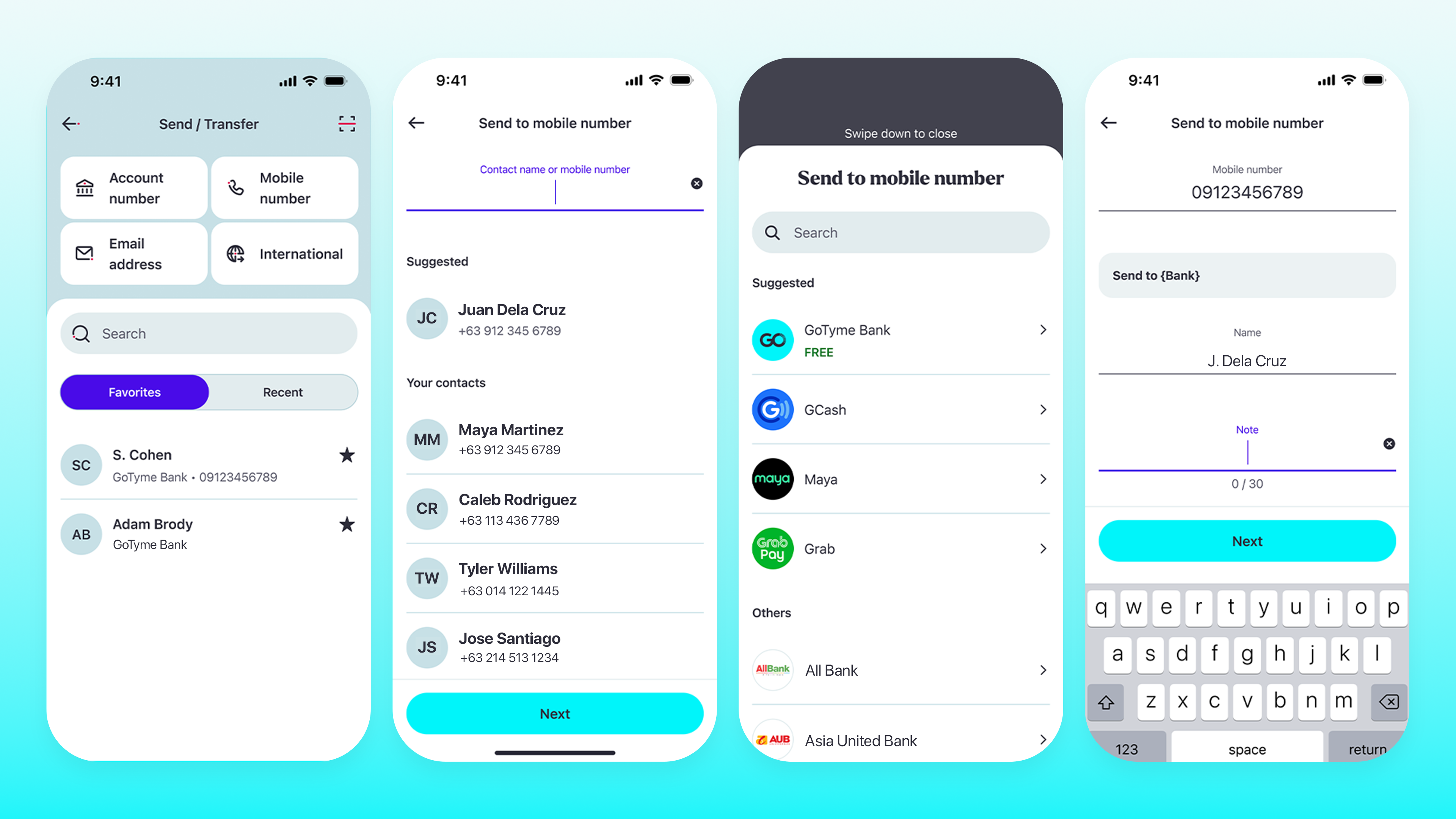
How do I send money to other banks or e-wallets?
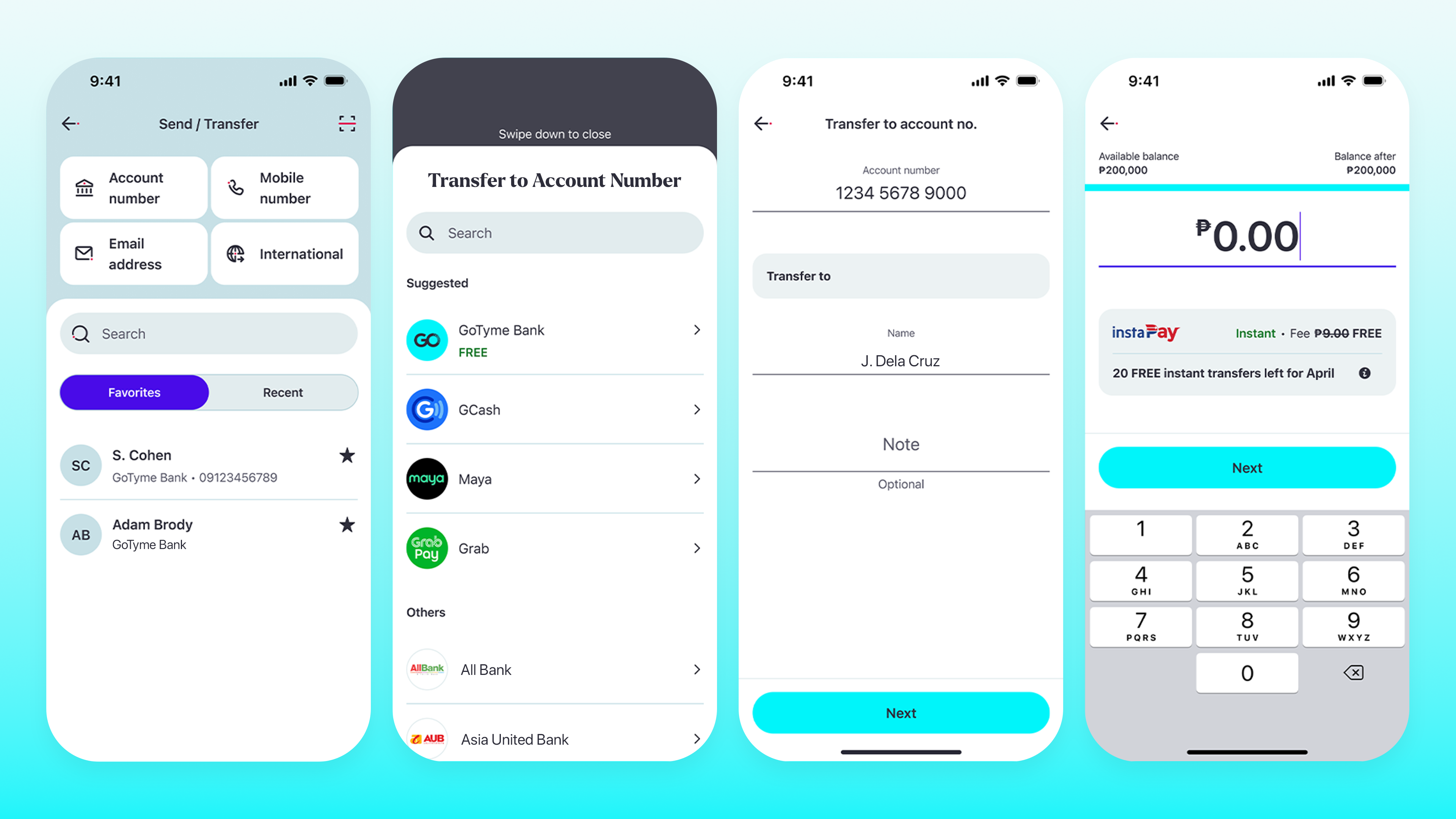
You can send money online from your GoTyme Bank account to any bank or e-wallet in the Philippines. Transfers are fast, secure, and follow a simple flow. You can send via Account Number or Mobile Number:
Via Account Number
1. From the Home screen, tap “Send & Transfer.”
2. Choose “Account number” as the method.
3. From the list, select the recipient’s bank or e-wallet.
4. Enter the account number, recipient’s name, and an optional note.
5. Enter the amount and tap “Next.”
6. Select the purpose of the GoTyme Bank Fund transfer.
7. Review the transfer summary and tap “Transfer now.”
8. Confirm using your passcode, Touch ID, or Face ID.
9. You’ll see a “Transfer Successful” message. From here, you can:
- “Share” to send a copy of the transfer confirmation
- “Add to Favorites” to save the recipient for future transfers
- “Repeat” the transfer if you want to send again
Via Mobile Number
1. From the Home screen, tap “Send & Transfer.”
2. Choose “Mobile number” as the method.
3. From the list, select the recipient’s bank or e-wallet.
4. Enter the mobile number, recipient’s name, and an optional note.
5. Enter the amount and tap “Next.”
6. Select the purpose of the transfer.
7. Review the transfer summary and tap “Send now.”
8. Confirm using your passcode, Touch ID, or Face ID.
9. You’ll see a “Transfer Successful” message. From here, you can:
- “Share” to send a copy of the transfer confirmation
- “Add to Favorites” to save the recipient for future transfers
- “Repeat” the GoTyme fund transfer if you want to send again